
Training sheet: presentation, advantages, program, and skills
The "Content" block of the training editor: the description, the video, the four strengths, the semesters and modules, the methods, the evaluation, and the skills.
Updated on 23 September 20262 min read
The Content block explains to the student what they will learn. At least one of these sections (program or strengths, or the opportunities of the next block) is required to publish.
About
Program description: the detailed presentation, displayed in the Presentation section of the sheet: educational objectives, target audience, strengths, career opportunities. At least 100 characters are required to publish; 200 characters are recommended. A counter indicates how many characters are missing, then displays “Complete description.”
Presentation video: optional: a YouTube or Vimeo link. Paste the address of the video itself.
Common issue
“URL not recognized”: only YouTube and Vimeo addresses are accepted.
Strengths
Up to 4 strengths, displayed in a grid on the public sheet. Click on Add a strength.
Icon: a representative emoji.
Title: example: “Innovative teaching.”
Description: a few short sentences.
Prefer concrete and quantified strengths: “6-month internship in 3rd year,” “40% of courses in English.”
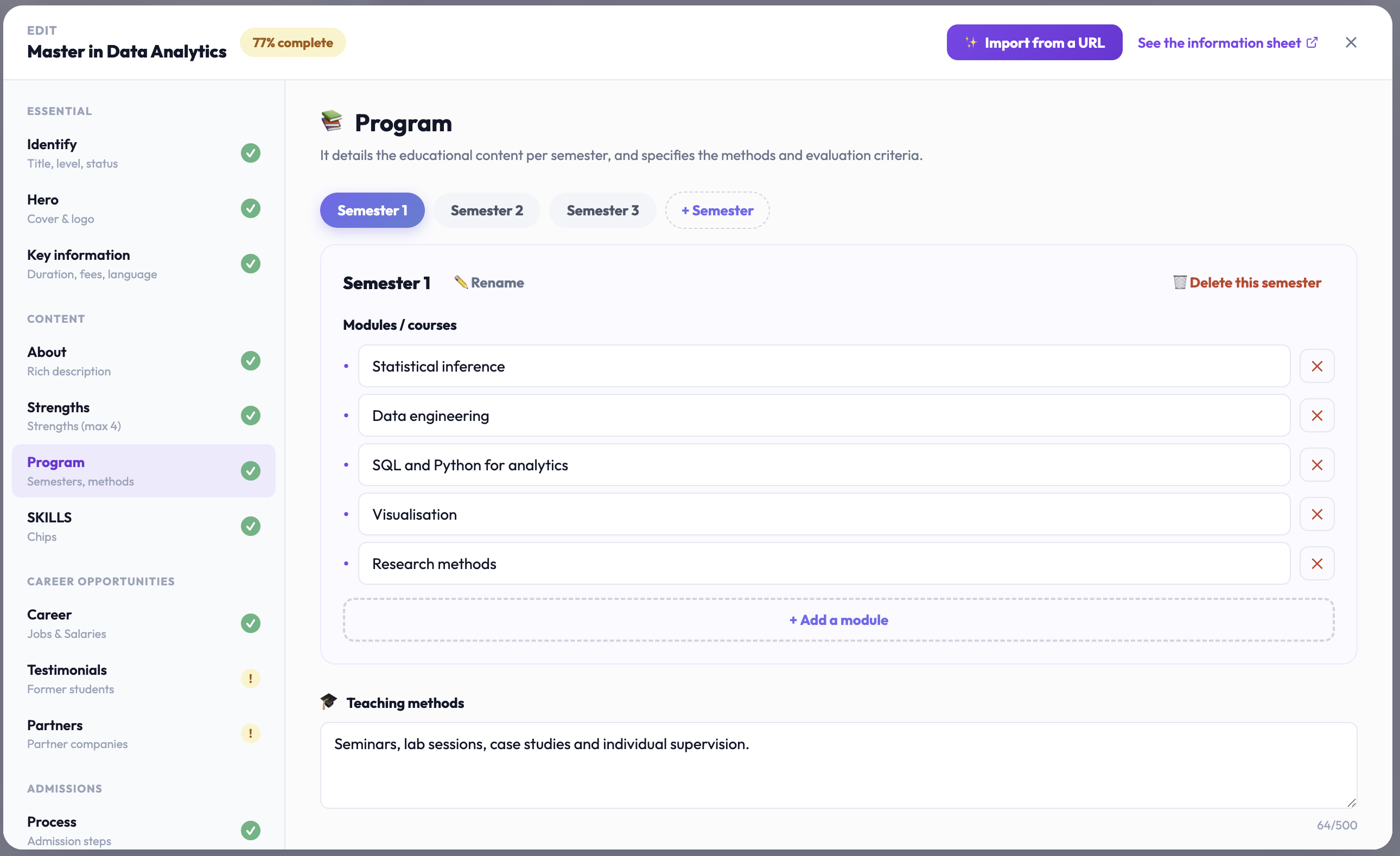
Program
The educational content, by semester, with methods and evaluation.
Semesters: click on Add the first semester, then on Semester for the following ones. Each semester can be renamed (“Rename”) or deleted. On the public sheet, semesters are displayed as tabs.
Modules / courses: in each semester, click on Add a module (e.g., “Digital marketing & social media”).
Teaching methods: example: lectures, practical workshops, group projects, case studies.
Evaluation: example: continuous assessment, projects, presentations, final exams.
Detailed program (optional): a complete text, year by year, displayed in a window on the public sheet. Structure it with titles like “First year,” “Second year”: they automatically become tabs.
Skills
The key skills developed by students, displayed as tags on the public sheet. Enter a skill (e.g., “Digital marketing”) and click Add. Aim for 6 to 10 precise skills.
Didn't find the answer?
The team replies within 24 hours on business days.