
School profile: identity, presentation, location, figures, and strengths
The five "Essential" sections of your school profile, field by field: what to enter, image formats, limits, and the weight of each section in completeness.
Updated on 23 September 20265 min read
Your school profile is the public page that students view. It can be edited from Account → School Profile. The profile menu groups the sections into four blocks: Essential, Content, Communication, and Advanced. This article details the Essential block, which weighs the most in your completeness rate.
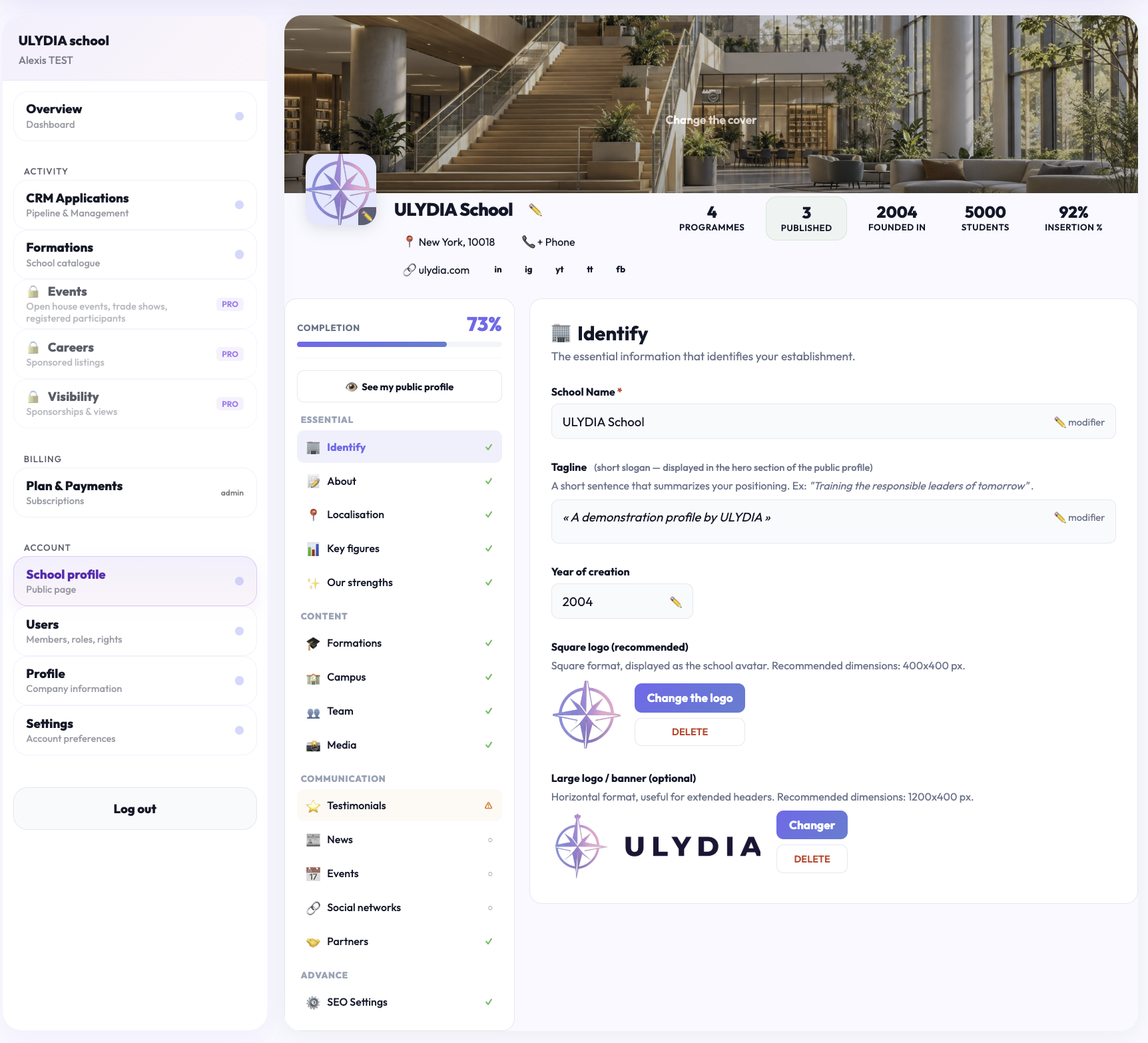
How completion works
Each section is worth a certain number of points. A section is counted as completed as soon as its condition is met; the Completion bar displays the total as a percentage. Sections marked "optional" do not penalize a profile if left empty.
Identity — 20 points: the school name and the square logo.
About — 20 points: a description of at least 50 characters (excluding formatting).
Location — 15 points: a city, or at least one additional city.
Key figures — 10 points: at least one of the following figures: number of students, employment rate, or year of establishment.
Our strengths — 5 points: at least one strength.
The View my public profile button at the top of the profile opens the page as visitors see it.
Identity
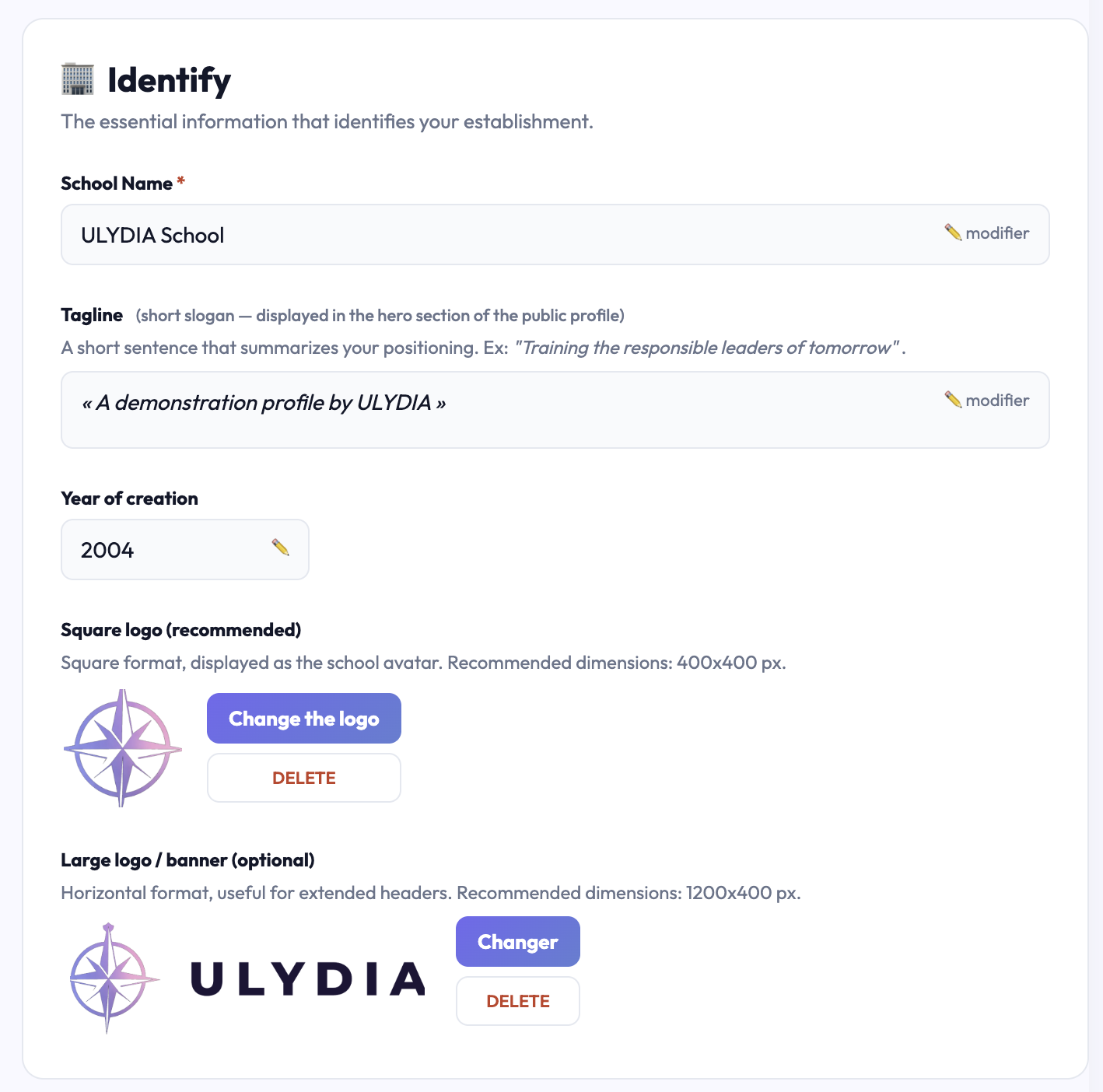
The essential information that identifies your institution.
School name: the official name, as students search for it. Click on “✏️ edit,” enter the name, then click Validate. It appears as the profile title and in catalogs.
Tagline: a short slogan summarizing your positioning, displayed in the header of the public profile. Maximum 200 characters. Example: “Training the responsible leaders of tomorrow.”
Year of establishment: between 1800 and the current year. It appears in the profile’s figures (“Founded in”).
Square logo (recommended): displayed as the school’s avatar, in catalogs and on the profile. Square format, 400 × 400 px recommended. It is essential for the Identity section to be counted as completed.
Wide logo / banner (optional): horizontal format for extended headers, 1200 × 400 px recommended.
Common issues
“Error uploading the square logo”: check the format (PNG, JPEG, or WebP) and the image size, then try again.
“Unable to identify the school. Reload the page.”: reload the page; if the message persists, log out and then log back in.
About
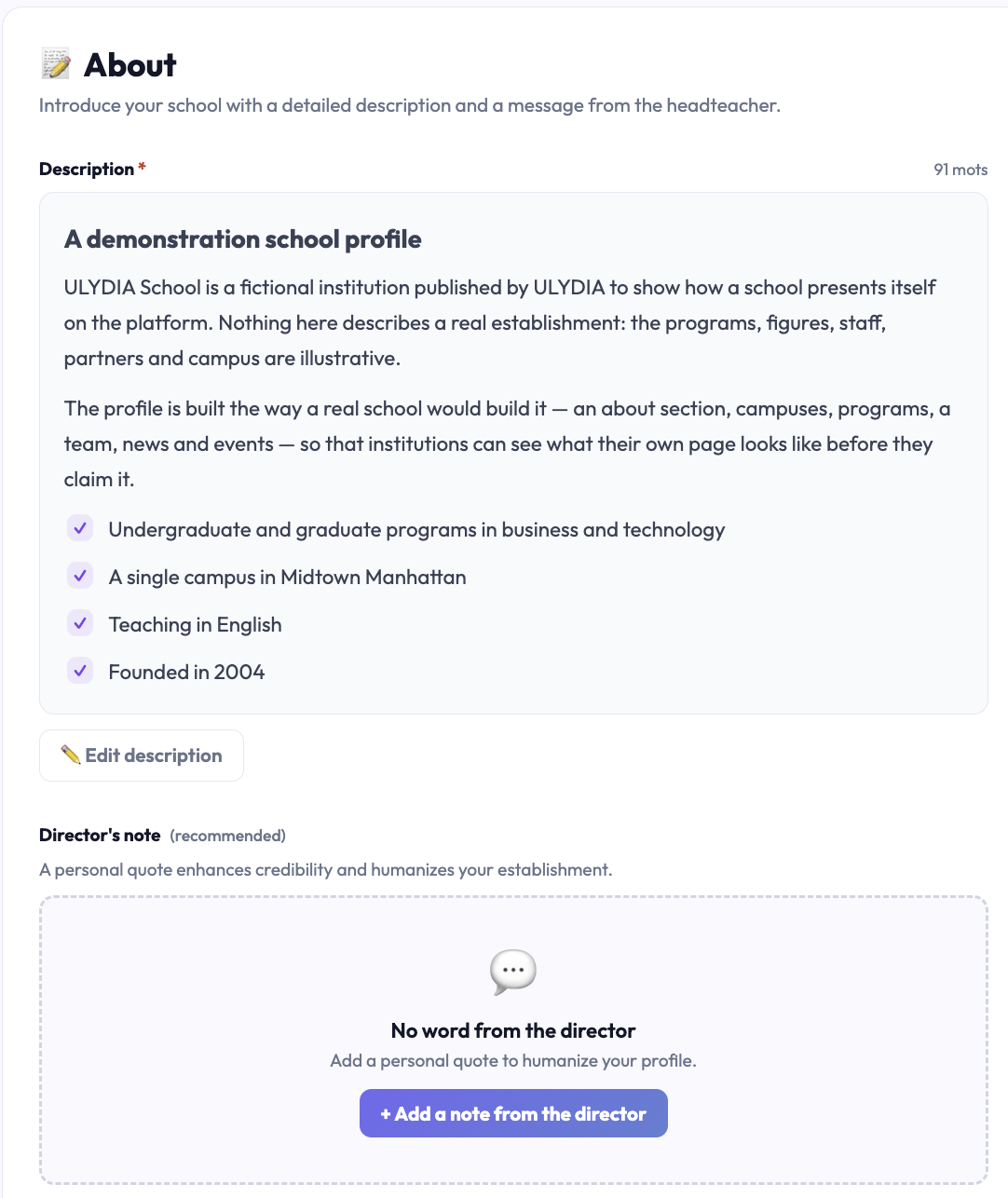
Introduce your school with a detailed description and a word from the director.
Description: the main text of the profile: history, pedagogy, specialties, student life. Click on “✏️ Edit description.” A word counter appears: 150 to 300 words is the ideal length to attract interest and be found by search engines. At least 50 characters are required for the section to be counted.
Word from the director (recommended): a personal quote that humanizes the profile. Click on “+ Add a word from the director,” then provide the quote, the director’s name (mandatory), and their role (e.g., general director). The quote and name are both required together.
The director’s photo is added from the Team section, which shares the same word from the director.
Location
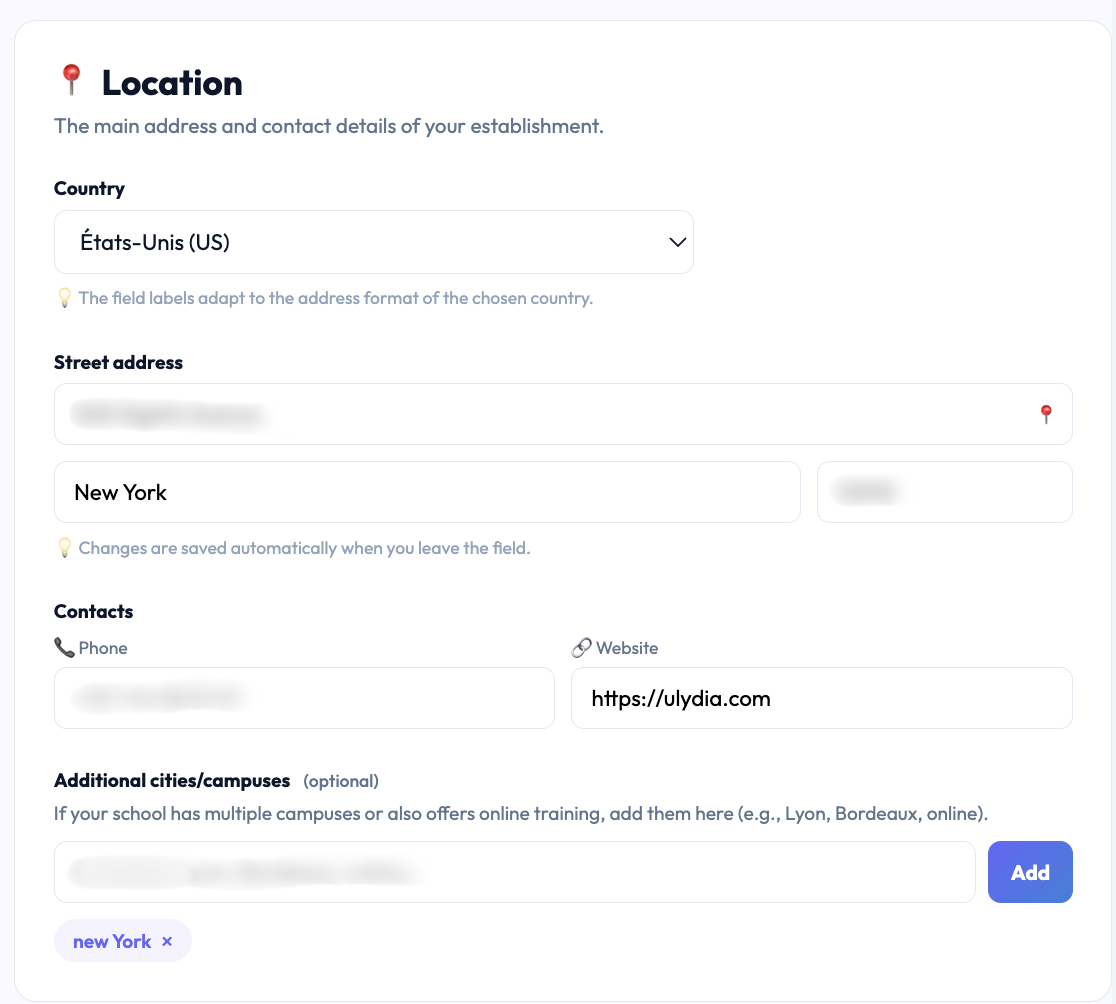
The main address and contact methods of your institution.
Country: choose it first in “-- Choose a country --”: the address field labels then adapt to the country’s format.
Address, postal code, and city: type the first three letters to start the search, then select the suggested address. It is used to place the school on the catalog map.
Contacts: the phone and website of the institution, displayed on the public profile.
Additional cities / campuses: if your school has multiple sites or also offers online training, add them here (e.g., Lyon, Bordeaux, online). For detailed campuses with photo and address, use the Campus section instead.
Changes in this section are saved automatically when you leave the field: there is no button to click.
Common issues
“This city is already in the list.”: the additional city already exists, no need to add it a second time.
Key figures
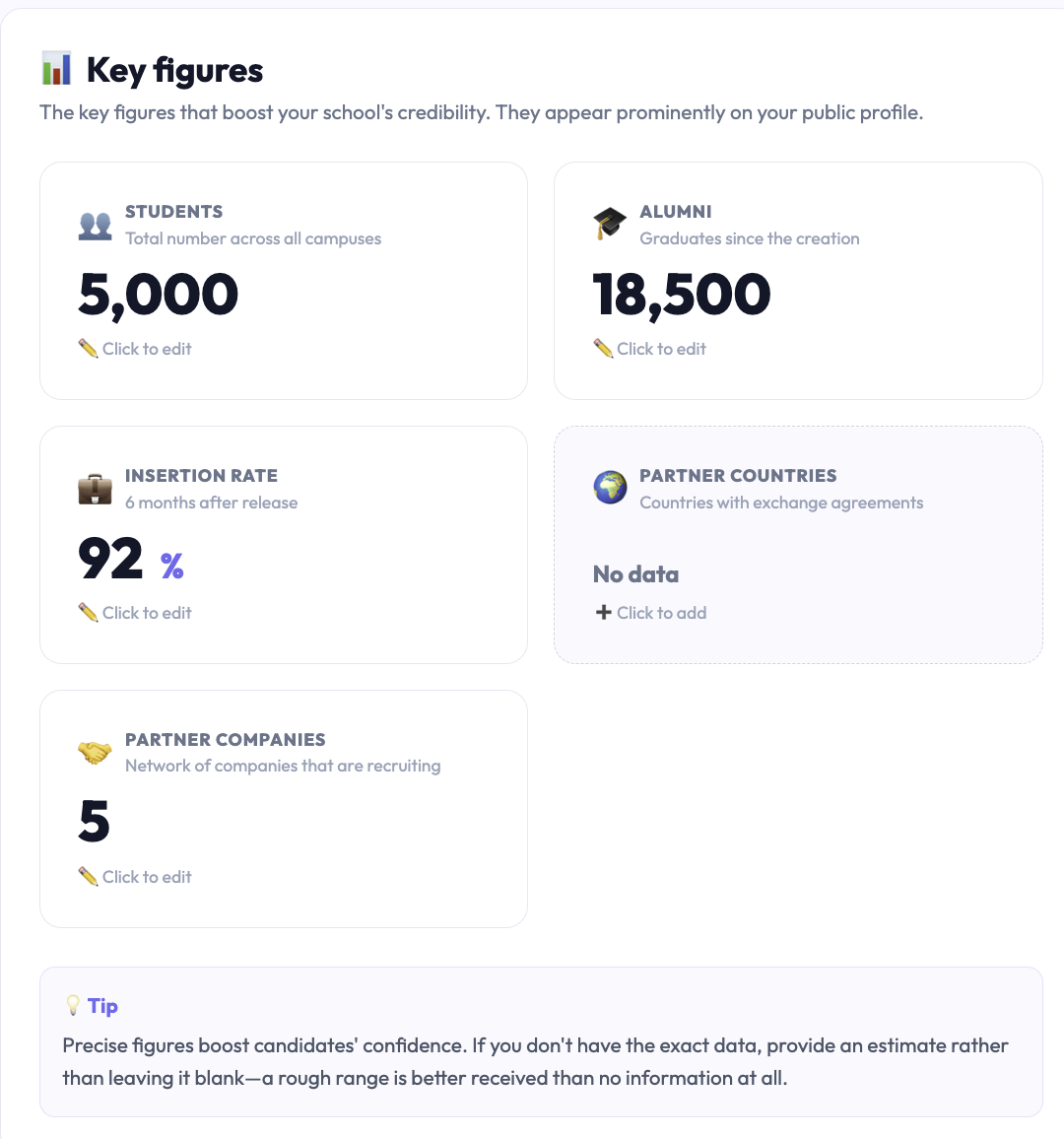
The essential figures that strengthen your school’s credibility. They appear prominently on the public profile. Click on a figure to edit it.
Students: the total number of students across all campuses.
Alumni: the number of graduates since establishment.
Employment rate: as a percentage, 6 months after graduation. Value between 0 and 100.
Partner countries: the number of countries with exchange agreements.
Partner companies: the size of the network of companies recruiting your graduates.
If you do not have the exact figure, provide an estimate rather than leaving it blank: an approximate value is better perceived than no information.
Common issues
“Enter a valid number.”: enter a number without spaces or symbols (write 1200, not “1 200 students”).
“The value must be at most 100.”: the employment rate is a percentage.
Our strengths
The strong points that differentiate your institution. They appear as colored cards on the public profile. Aim for 4 strengths; the limit is 6.
Icon (emoji): an emoji illustrating the strength, chosen from the list or pasted directly.
Title: maximum 60 characters. Example: “Innovative pedagogy.”
Short description: maximum 120 characters. Example: “Project-based learning with 120+ companies.”
Background color: violet, indigo, green, amber, pink, or blue.
The Move up and Move down buttons adjust the order of the strengths.
The 💡 Load examples button fills the section with typical strengths to adapt. Warning: it replaces existing strengths.
Tip: the best strengths are concrete and quantified. Instead of “Professional integration,” write “92% employment rate at 6 months.”
Common issues
“6 strengths maximum.”: delete a strength before adding another.

Didn't find the answer?
The team replies within 24 hours on business days.